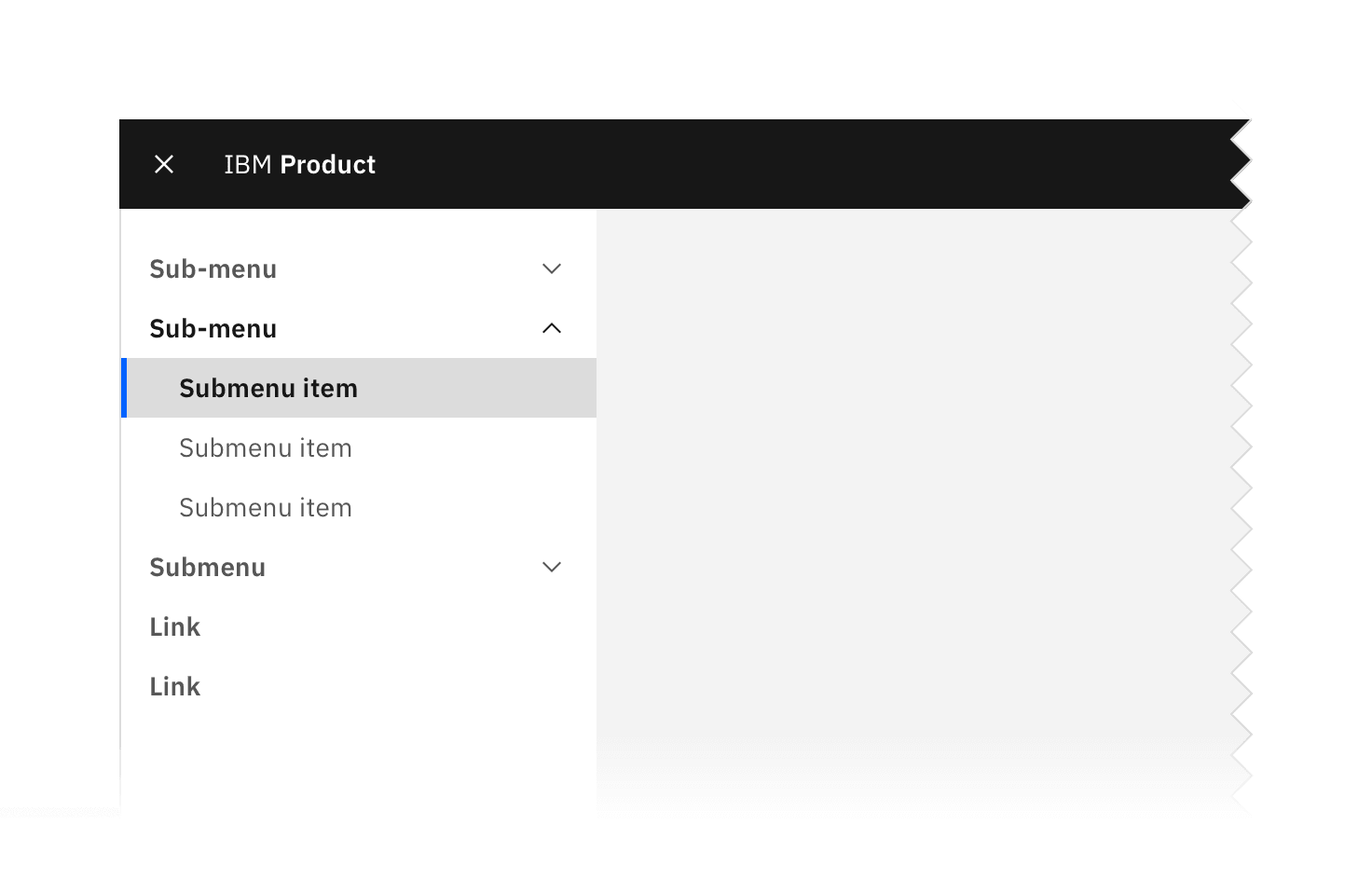
UI shell side-nav example.
Link
State | Property | Color token |
|---|---|---|
Enabled | text color |
|
icon color |
| |
Hover | background color |
|
text color |
| |
icon color |
| |
Focus | border |
|
Active | background color |
|
text color |
| |
icon color |
| |
Selected | background color |
|
text color |
| |
icon color |
| |
border |
|
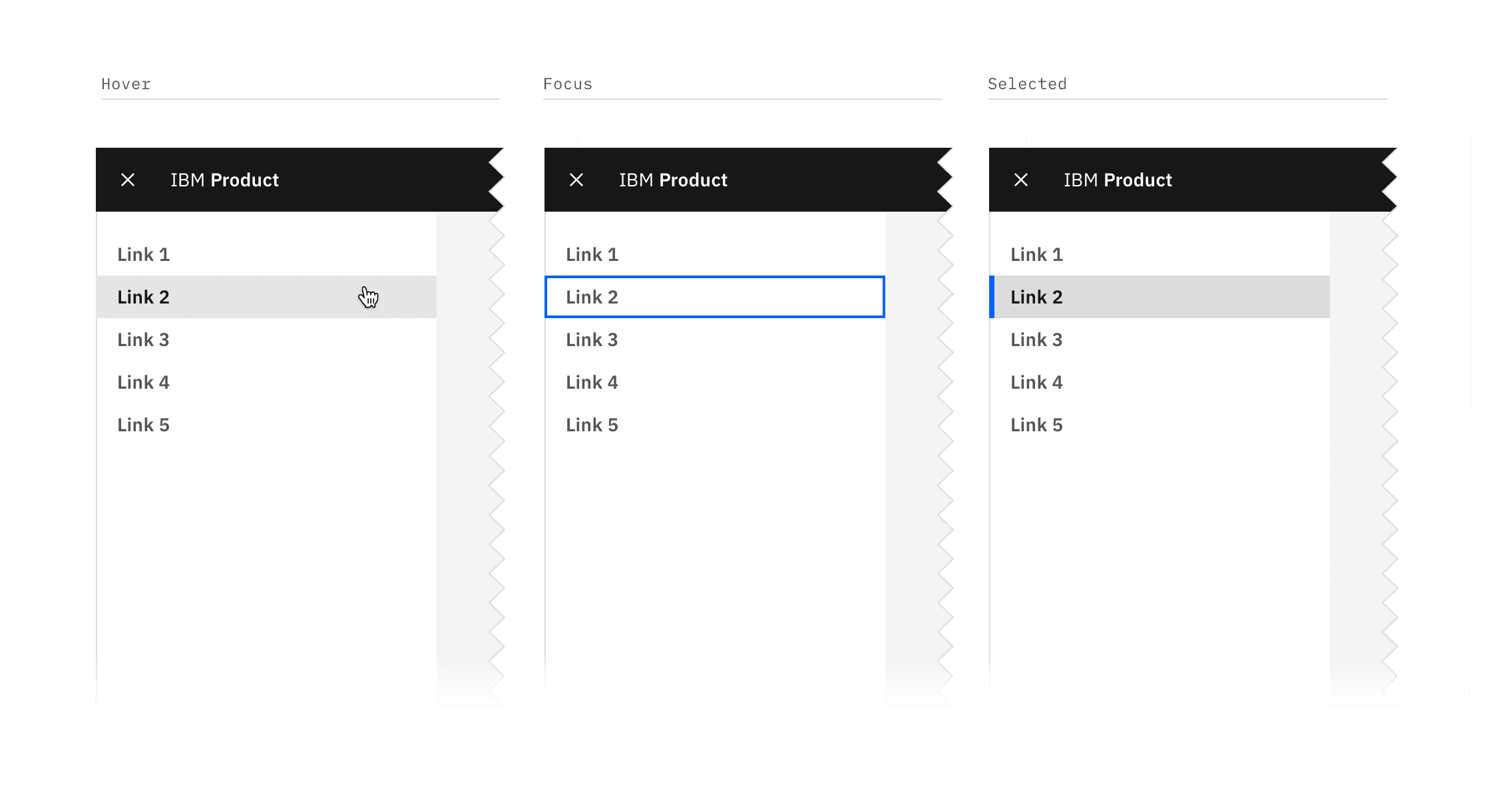
Link states
Element | State | Property | Color token |
|---|---|---|---|
Sub-menu | Enabled | text color |
|
svg |
| ||
Hover | background color |
| |
text color |
| ||
svg |
| ||
Focus | border |
| |
Active | background color |
| |
text color |
| ||
svg |
| ||
Sub-menu item | Enabled | text color |
|
Hover | background color |
| |
text color |
| ||
Focus | border |
| |
Active | background color |
| |
text color |
| ||
Selected | background color |
| |
text color |
| ||
border |
|
Sub-menu states
Element | Property | px/rem | Spacing token |
|---|---|---|---|
Panel | width | 256 / 16 | – |
Link | height | 32 / 2 | – |
padding left, padding right | 16 / 1 |
| |
Sub-menu | height | 32 / 2 | – |
padding left, padding right | 16 / 1 |
| |
Sub-menu item | height | 32 / 2 | – |
padding left | 32 / 2 |
| |
padding right | 16 / 1 |
| |
Selected border | width | 4 / 0.25 | – |
Icon | size | 16 / 1 | – |
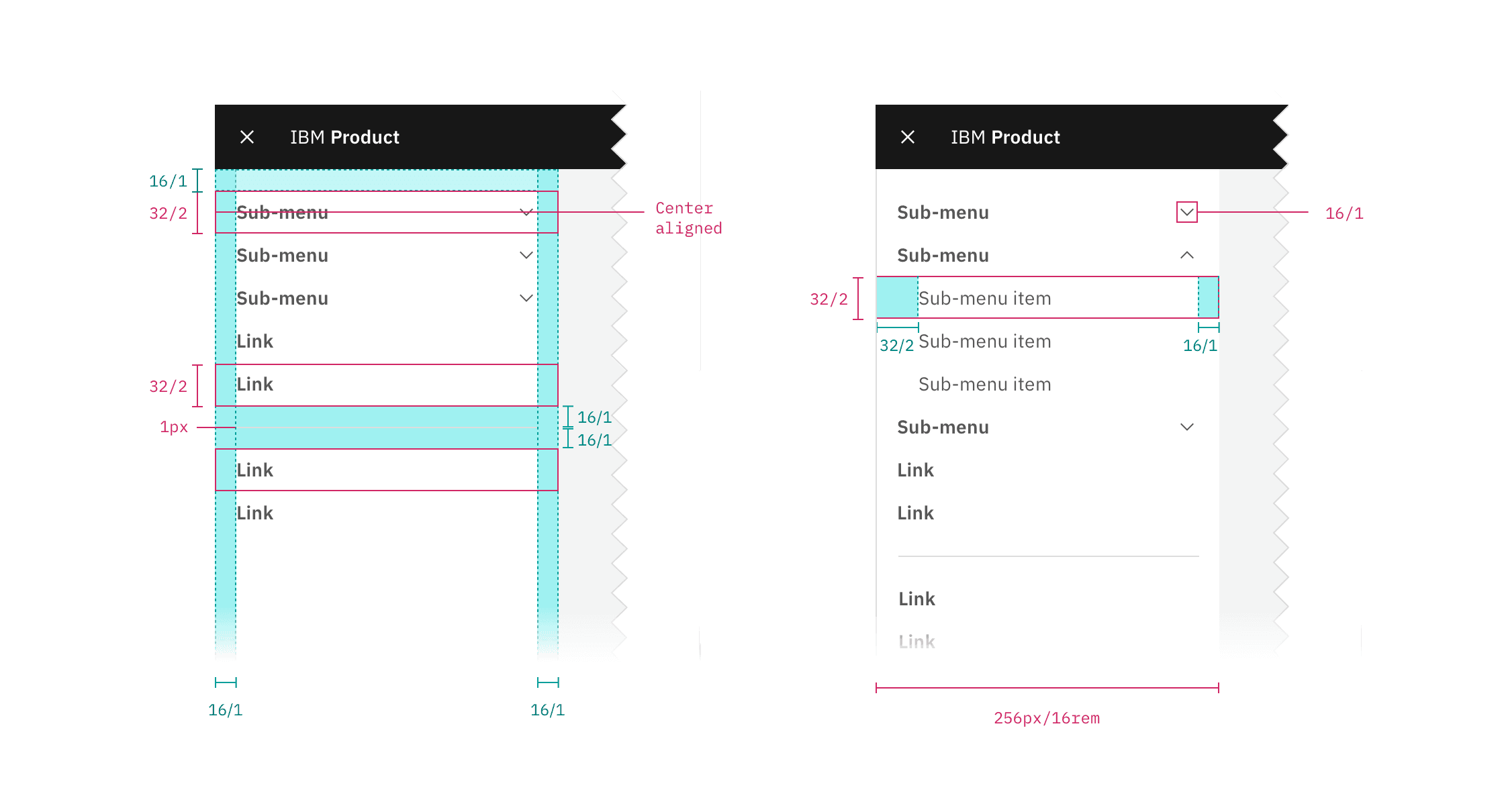
Structure and spacing measurements for the side-nav | px | rem.
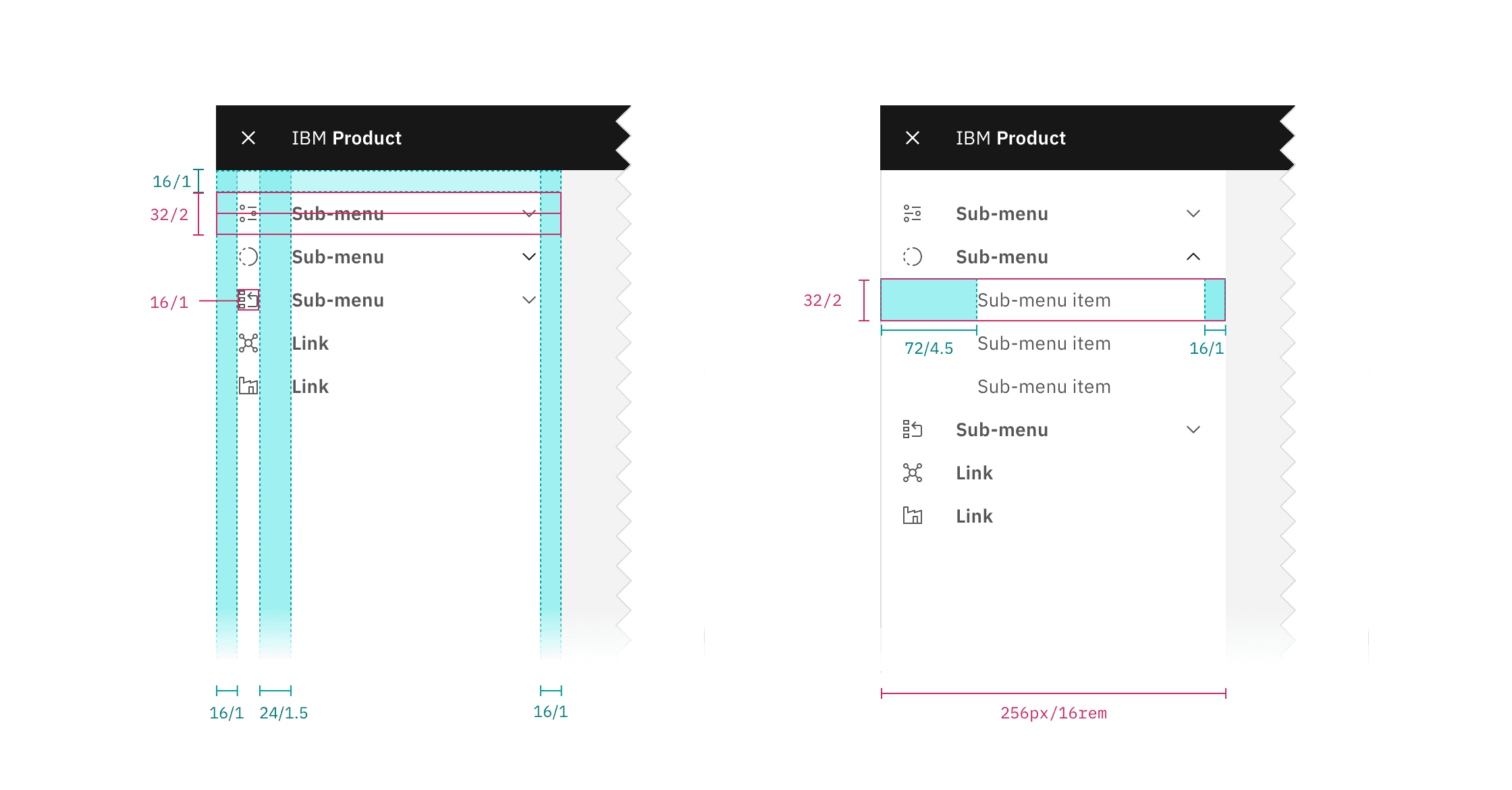
Structure and spacing measurements for side-nav with icons | px | rem.
Feedback
Help us improve by providing feedback, asking questions, requesting features, or leaving any other comments on GitHub.