Keyboard interaction
The tree view takes a single tab stop, with focusing landing on the selected node or the first node of an unselected tree. When trees have focus, arrow keys provide navigation. The Right arrow key expands a closed branch node. If a branch is open, the Right arrow moves into the first child node. Pressing the Left arrow key on an open branch collapses it. Left arrowing on a child moves the focus to the parent branch. Up and Down arrow keys move vertically through open branches and their child nodes. A node or branch is selected by Space or Enter keys.
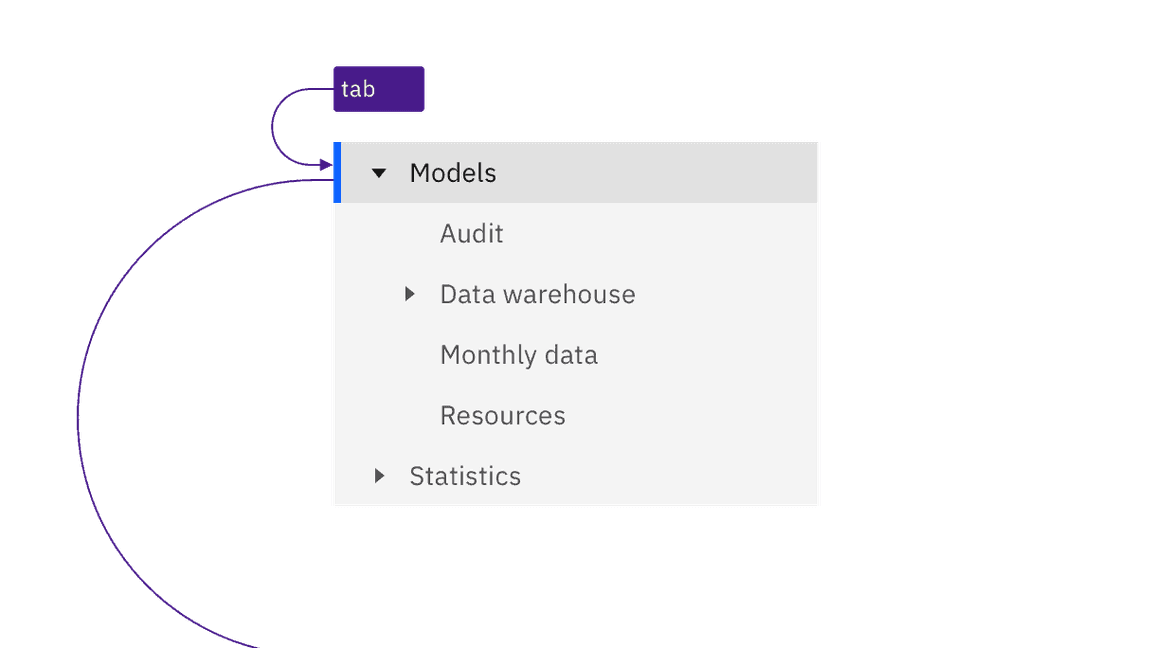
- The component uses a
treerole on aulwith all nodes inligiven a role oftreeitemwith atabindex="-1"andaria-selected="false"(except the currently selected node). - All branch nodes contain an
aria-expandedattribute. - See the ARIA authoring practice Tree View pattern for more considerations.
Accessibility testing status
Latest version: 1.114.0 | Framework: React (@carbon/react)
| Component | Accessibility test | Status | Link to source code |
|---|---|---|---|
| Tree view | Test(s) that ensure the initial render state of a component is accessible. | Passes all automated tests with no reported accessibility violations. | GitHub link |
| Tests that ensure additional states of the component are accessible. This could be interactive states of a component or its multiple variants. | Passes all automated tests with no reported accessibility violations. | ||
| Tests that ensure focus is properly managed, and all interactive functions of a component have a proper keyboard-accessible equivalent. | Passes all automated tests with no reported accessibility violations. | ||
| This manual testing ensures that the visual information on the screen is properly conveyed and read correctly by screen readers such as JAWS, VoiceOver, and NVDA. | A human has manually tested this component, e.g. screen reader testing. |
Feedback
Help us improve by providing feedback, asking questions, requesting features, or leaving any other comments on GitHub.